

Review Outfit Details
Inspect fabric, fit, color, and the surrounding details in your generated result before downloading or using it.
An AI clothes changer is an image editing tool that changes the clothing in a photo from your outfit description.
By AI Image Generator Editorial TeamUpdated
Explore new outfits for your photos. Upload a photo, describe the new clothing in a prompt, then check the credit estimate and generate. Review your result here.
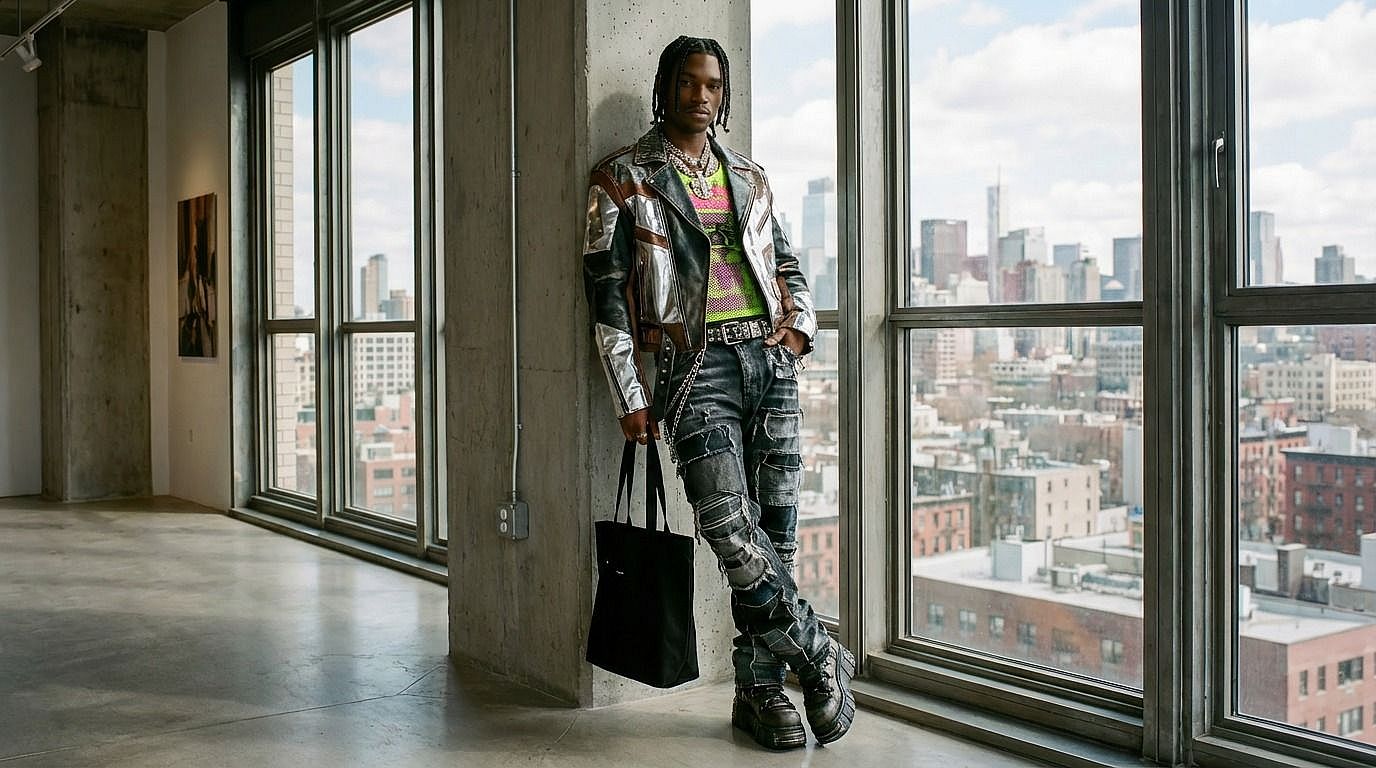
Inspect fabric, fit, color, and the surrounding details in your generated result before downloading or using it.
Ask for clothing that fits the pose, lighting, and scene. Review fabric, shadows, and the person’s appearance in the generated result.
Try different clothing descriptions with the same source image. Processing time depends on the model and queue.
Use your source photo and outfit prompt to generate and review clothing variations on this page.

Describe casual, formal, streetwear, or themed clothing. Specify fabric, color, and fit in the prompt, then review how the model applies the outfit to your source image.
Explore outfit concepts for product photography using an image you have permission to edit. Check logos, garment details, fit, and color before using a generated image in a product listing.
Use one photo to explore different outfit ideas for a social post. Describe the style you want and review each variation before sharing it.
Visualize costume and styling ideas without changing a physical wardrobe. Describe the outfit and use the result as a starting point for further creative work.
Change outfits in your images in just a few simple steps.
Upload 1 source photo in one of 3 supported formats: JPEG, PNG, or WEBP, up to 10 MiB. Choose a clear photo with the clothing visible.
Review the streetwear prompt or enter your own outfit prompt here. Include the style, color, fabric, and fit you want.
Check the credit estimate, then generate here. Preview positions: 0% shows the result, 50% splits the original and result, and 100% shows the original. With the comparison focused, arrow keys move 5%, PageUp/PageDown move 20%, Home goes to 0%, and End goes to 100%. Inspect the outfit and adjust your prompt if needed.
Explore styling directions for a product or model image. Generated designs may differ from real garments, so verify product details before using the image in a catalog.
Try outfit concepts for campaign themes and audiences. Use your own source material and review each generated variation before publishing.
Create outfit variations for posts and visual stories. Start with a clear source photo and describe a style suited to your project.
Compare clothing combinations, colors, and textures while planning a look. Refine the prompt as you explore different directions.


Create portraits, illustrations, and product concepts from a text prompt in the image workspace.
Upload a source image and describe a new style or edit in the image workspace.
Edit or replace text in an uploaded image using a prompt, then review the result.
Brush over unwanted objects in an uploaded photo, then review the filled area.
Remove watermarks or overlaid text from an image you have permission to edit.
Upload one reference photo and describe the face change in a prompt, then review the result.
Upscale an uploaded image and review the resulting detail before downloading.
Replace an adult person’s outfit with normally covering swimwear or ordinary clothing while preserving the person and scene.
Create videos from text or images, or edit an existing clip in the video workspace.
It creates outfit variations on this page. Upload a photo and add an outfit-change prompt, then check the credit estimate. Generate and inspect the result here before downloading.
Use a clear photo that you have permission to edit, with the clothing visible. Describe the new outfit, including its color, fabric, and fit.
Describe the clothing to replace and the details to preserve in the prompt. For a painted selection, use the separate AI Image Editor and a model that supports masks. Review the output for unintended changes.
This page is for replacing an outfit with another outfit, such as modern streetwear or formal clothing. Its preset prompt asks the model to keep the person clothed and preserve the rest of the image.
Image generation uses credits. Check the displayed cost and your account balance before submitting. Current purchase options are listed on the pricing page.
The upload control accepts 3 formats: JPEG, PNG, and WEBP. Upload 1 source photo per outfit edit, with a maximum file size of 10 MiB.
The prompt asks the model to preserve the person and scene, but generated edits can change details. Use a clear source photo and a focused prompt, then inspect the result on this page before use.
Use these quick steps to change an outfit here or explore other image tools.
Upload your photo here and describe the clothing in a prompt. Check the credit estimate, then generate and review the result on this page.
Use Edit Image Text to replace text in an uploaded image with a prompt.
Upload your photo, add an outfit prompt, then check the credit estimate and generate. Review your result here.